

monday AI: Your Options Explained

All You Need to Know About Sidekick, Vibe & More

monday.com has been steadily integrating AI directly into the platform. Rather than adding a single AI tool that does multiple things, monday.com now offers a full library of AI features designed to support different aspects of work. Some help you move faster, some help you think more clearly, and a few fundamentally change how work gets built in the first place.

This page provides a practical guide to the most valuable monday.com AI capabilities available today.
Specifically, it covers AI columns, AI blocks, AI automations, monday Sidekick, monday Vibe, and monday MCP. For each one, you’ll see the value, what it does, and the problems it solves.

Read on carefully: in under 30 minutes, you’ll be aware of exactly which monday.com AI offerings will really improve the way you work.

AI-Powered Columns

What it Is: 

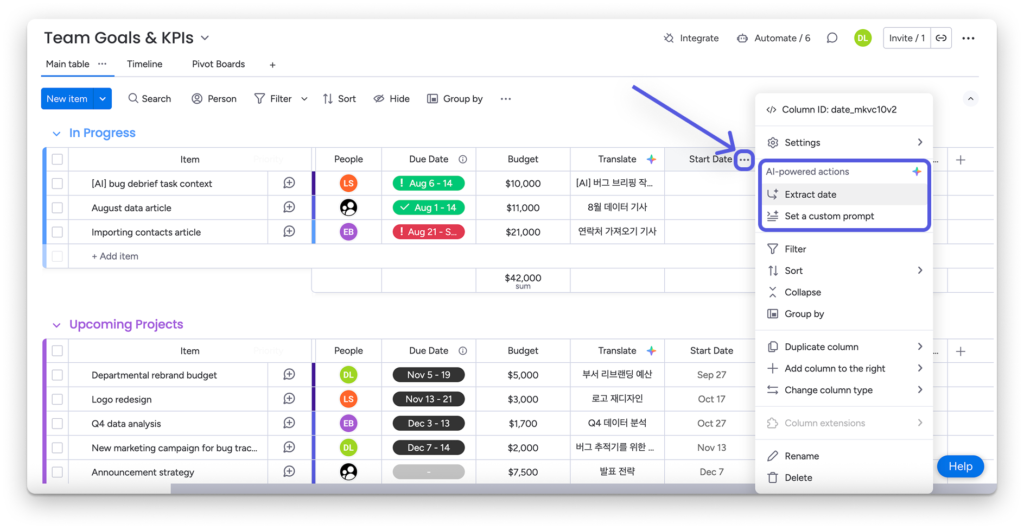
monday AI-powered columns in Work OS offer the simplest (and easiest to use) level of AI capabilities available. AI-driven columns are designed to help you categorize, extract, summarize, generate, and improve content directly inside your boards and workflows. 

What it Does:
  • Summarizes text from updates or long descriptions into a clean summary field
  • Improves text (rewrite for clarity or tone)
  • Extracts information from text/files into defined fields
  • Assigns labels (for example, category, urgency) at scale
  • Detects sentiment and translates text when needed

The value: Boards become instantly searchable, reportable, and automation-ready because your key info is structured carefully and not buried in long paragraphs of text or messy files. monday.com AI powered columns eliminate manual data cleanup and keep boards structured without extra effort, saving tons of time.

What makes it cool: You don’t need to copy/paste anything into AI or repeat prompts over and over. With monday.com AI columns, whatever you need pops up automatically within the columns exactly as you requested it…without you having to request it each time.

AI Filters

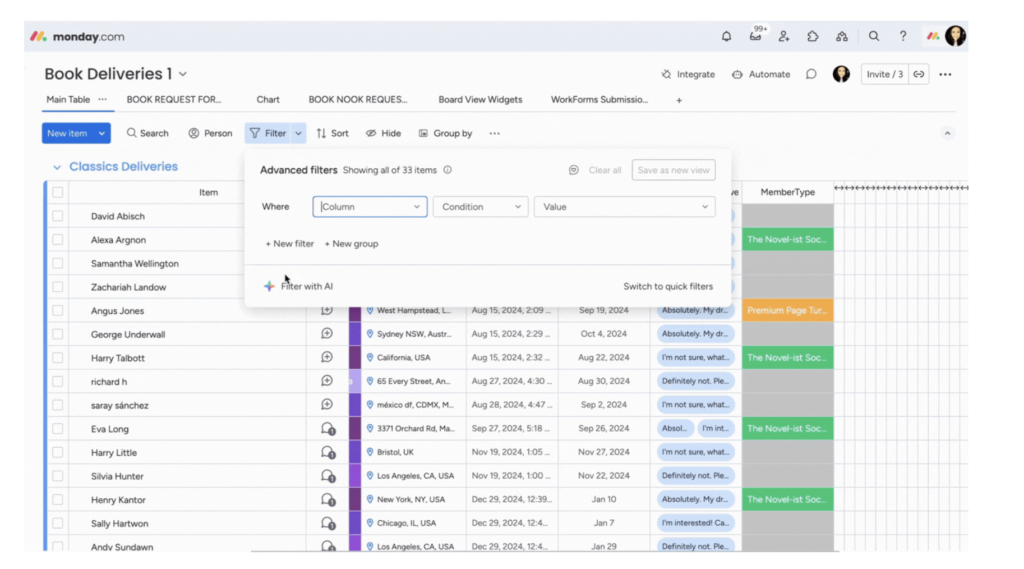
monday.com filter with AI
What it Is: 

An AI-powered way to filter boards using natural language instead of manual filter rules or complex filtering logic.

What it Does:

Simply describe what you want to see, such as “open deals assigned to me over $15,000.” Then, monday.com AI filters translate that request into a working filter.

The value: monday.com AI filters remove friction when filtering gets complex. They are especially helpful for users who are not comfortable building multi-condition filters.

What makes it cool: Express your desired outcome in regular words and the filter just works. No need for complex logic or multi-step setups.

monday.com AI Blocks

What it Is: 

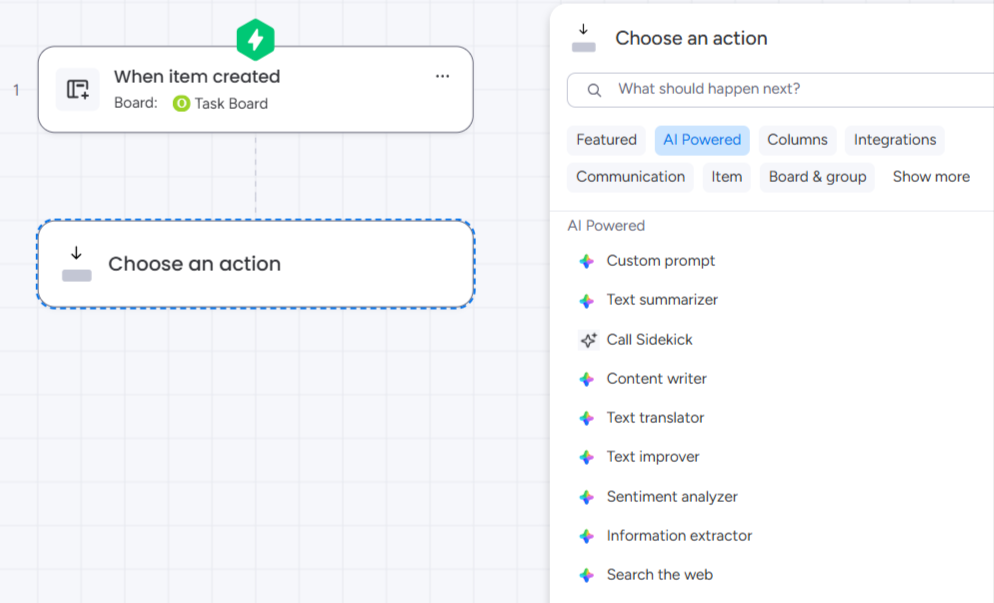
AI blocks are the core AI actions that power AI Columns, AI Automations, and workflows built in the workflow builder. Unlike AI-powered columns, monday AI blocks function like automations, but run with the intelligence of AI. For example, with the Custom Block, you can describe what you want, set up the automation, and let it run every time the action is triggered. Try something like, “give every lead a label based on the lead score. Let leads scored under 30 be labeled as FAIL. Leads 21-50 should be labeled as WEAK. Leads 50-75 should be labeled as GOOD”…and see where it takes you.

What it Does:

These blocks provide the core AI actions that teams can trigger from multiple entry points.
In addition, they allow teams to apply the same AI capability repeatedly—such as summarizing, extracting, writing, or categorizing—without re-prompting each time.

The value: Standardization. Your best AI use cases become repeatable across teams and boards, which is how AI actually scales in an organization and helps organizations scale.

What makes it cool: The prompt preview feature gives a sneak peek at what the results will look like, helping you adjust the prompts as needed before letting it run.

monday Sidekick

monday sidekick
What it Is: 

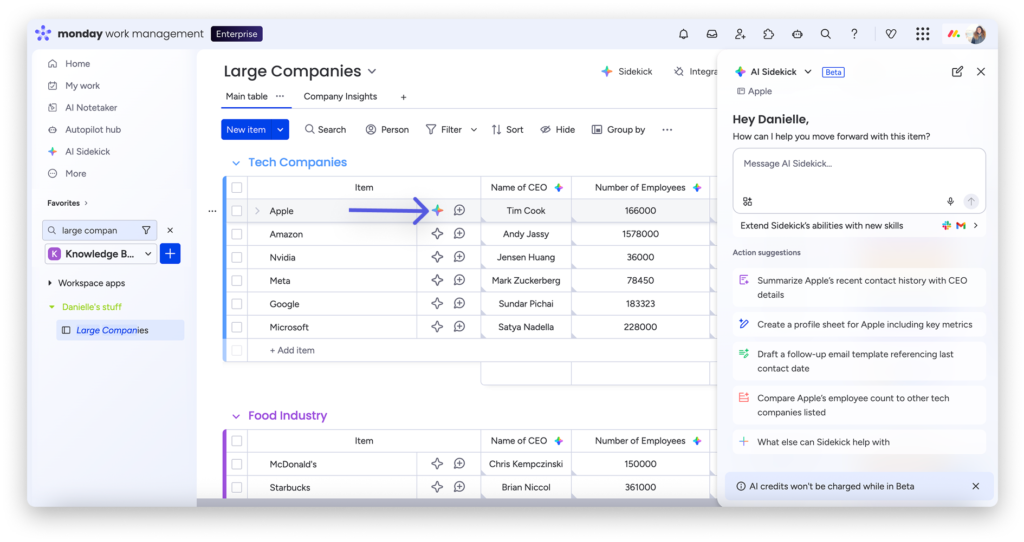
monday sidekick is positioned as an “intelligent assistant” that brings AI models, AI tools, and your monday.com apps together with full context of your business so you can get work done via natural (typed) conversation.

What it Does:

Helps you create outputs and move work forward using multi-step tasks prompted easily to a chat-like AI agent. Bridges AI models with your work environment so you’re not switching tools constantly. monday Sidekick also understands context from within your boards so that it can provide real value, not just surface-level AI contributions.

The value: monday Sidekick integrates directly with dozens of monday.com apps (like SuperMail) to extend its functionality and give you real, functional support. Note – you have to enable these connections manually in order to really take advantage of all Sidekick has to offer.

What makes it cool: other forms of monday.com AI provide simple, one-step solutions. Sidekick levels it up by providing multi-step and multi-app executions. For example, you can ask Sidekick to filter your contact list to C-level people and then send them all an email, so you don’t have to spend time filtering (or sending).

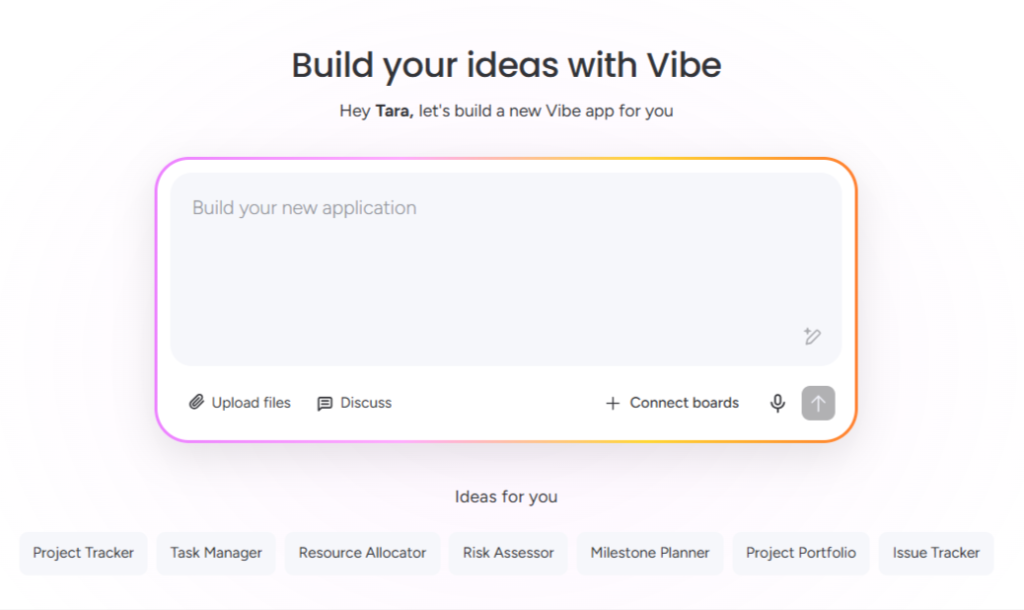
monday vibe

What it Is: 

monday vibe lets you turn prompts into actual, functional, monday.com apps. You describe what you need, and monday vibe generates secure, custom apps in your workspace.

What it Does:

Generates custom work apps from a description and then lets you adjust the app with clear, written text. 

The value: Teams can create the exact solutions that they need quickly, without waiting on engineering, admins, or a long implementation cycle. They can also enjoy leveled-up monday.com features without paying for external apps.

What makes it cool: monday vibe is one of the most advanced monday.com AI solutions built to date because it doesn’t just automate the ‘brainless’ stuff. It thinks more deeply and builds more complex applications than most other monday AI offerings. It’s not meant for monday.com

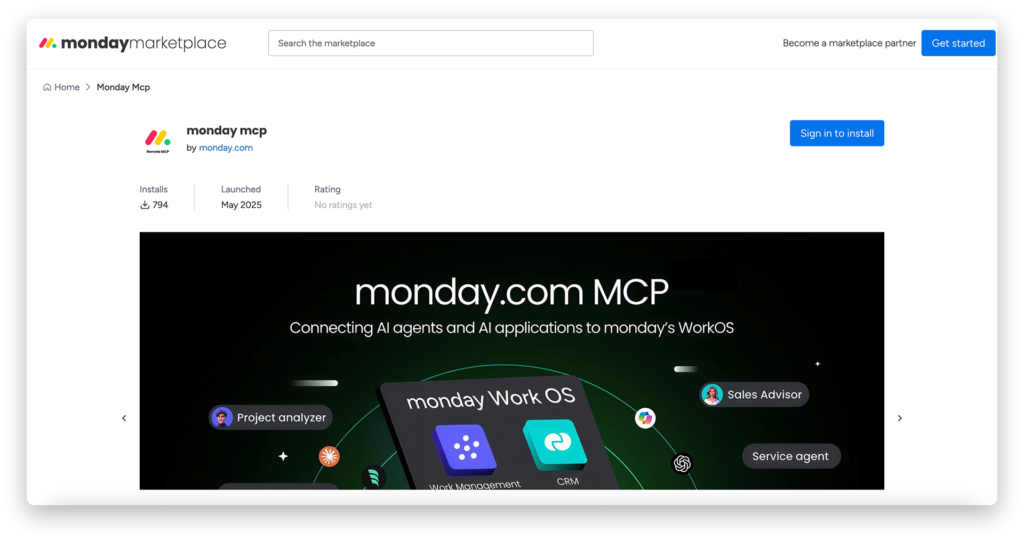
monday MCP: Connect Your AI Assistant

What it Is: 

monday MCP is a hosted server that connects external AI tools to your monday.com workspace through the Model Context Protocol (MCP), enabling AI assistants (like Claude,Gemini, ChatGPT, and Copilot) to securely access and act on your boards based on permissions you define and control.

What it Does:

Lets you use your preferred AI assistant to read context from monday.com boards and take actions according to your prompts.

The value: monday MCP makes the jump from AI advice to real, practical, AI execution.

What makes it cool: monday MCP can build full boards and workflows on demand, automate busywork (assignments, due dates, recurring cycles, and more), audit and clean up messy processes, and analyze workspace data to spot bottlenecks and recommend improvements, all directly in your workspace. Learn more about monday MCP here.

monday AI Agents

What it Is: 

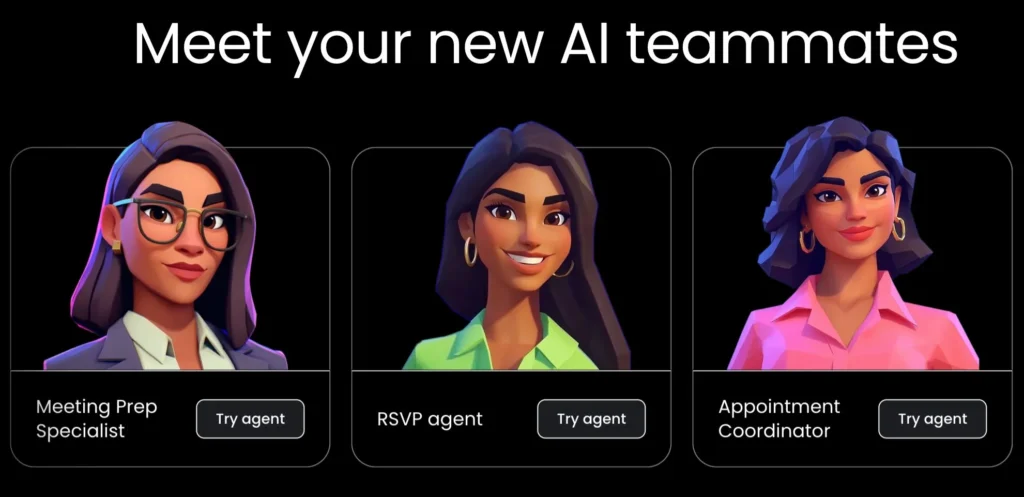
monday AI agents are customizable AI teammates that you create inside monday.com to take on specific roles and responsibilities, just like a real team member.

What it Does:

monday AI agents handle repetitive and time-consuming tasks typically assigned to humans, such as confirming meetings, answering questions, rescheduling appointments, and more.

What makes it cool: These virtual agents don’t just process data, they actually do work inside monday.com, using your data, your permissions, and your workflows. That means less manual effort, smarter execution, and time and money saved on employee costs.

Some of our happy clients:

Got questions?

We’d love to hear from you! 

Contact us for more details about how the monday AI can help your business.