


JobFlows is essentially an add-on built for the monday.com Work OS platform that focuses on applicant tracking and recruitment workflows. It lets you craft a branded careers page, push job adverts to boards, manage candidate pipelines, and monitor metrics—all from within the monday.com environment.
Standout Features
- Branded careers page: You can design a job‐board page for your company so candidates apply directly and data flows into monday.com.
- Multi-job board distribution: Post jobs across major job boards from within the platform (reduces handling external job board portals).
- Candidate pipeline stages: Visual & automated tracking of applicants through stages (e.g., applied → screened → interviewed → offer) with board views and status tracking.
- Analytics & reporting: Track metrics like time-to-hire, source of hire, pipeline bottlenecks, recruiter/manager performance.
- Leverages monday.com automations & integration: Since it sits on monday.com, you benefit from the automations / boards / dashboards you already use.
How It Works
- Extract AI functions as an integration within the monday.com platform. After installation from the monday.com marketplace, select the App, chose the relevant Workspace and Board you wish to start with.
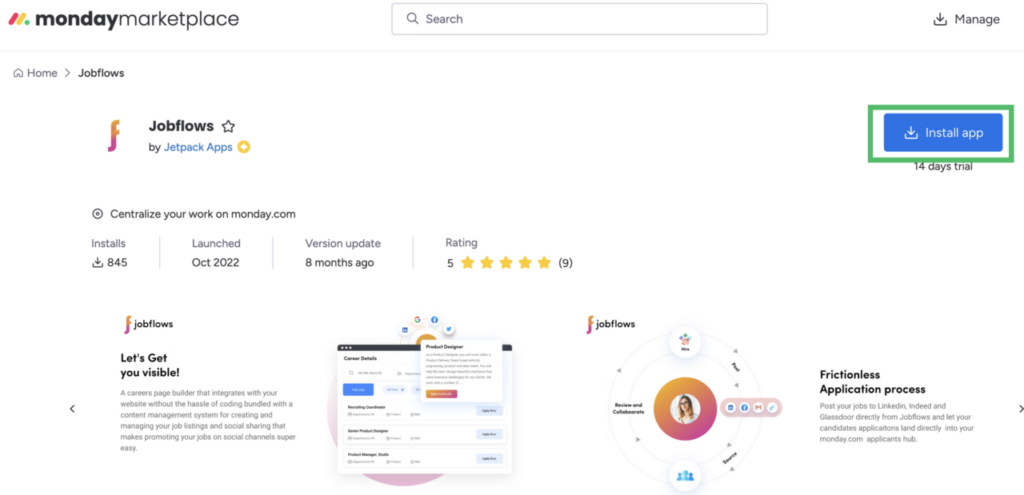
2. Choose which workspace and which board you would like to integrate it.
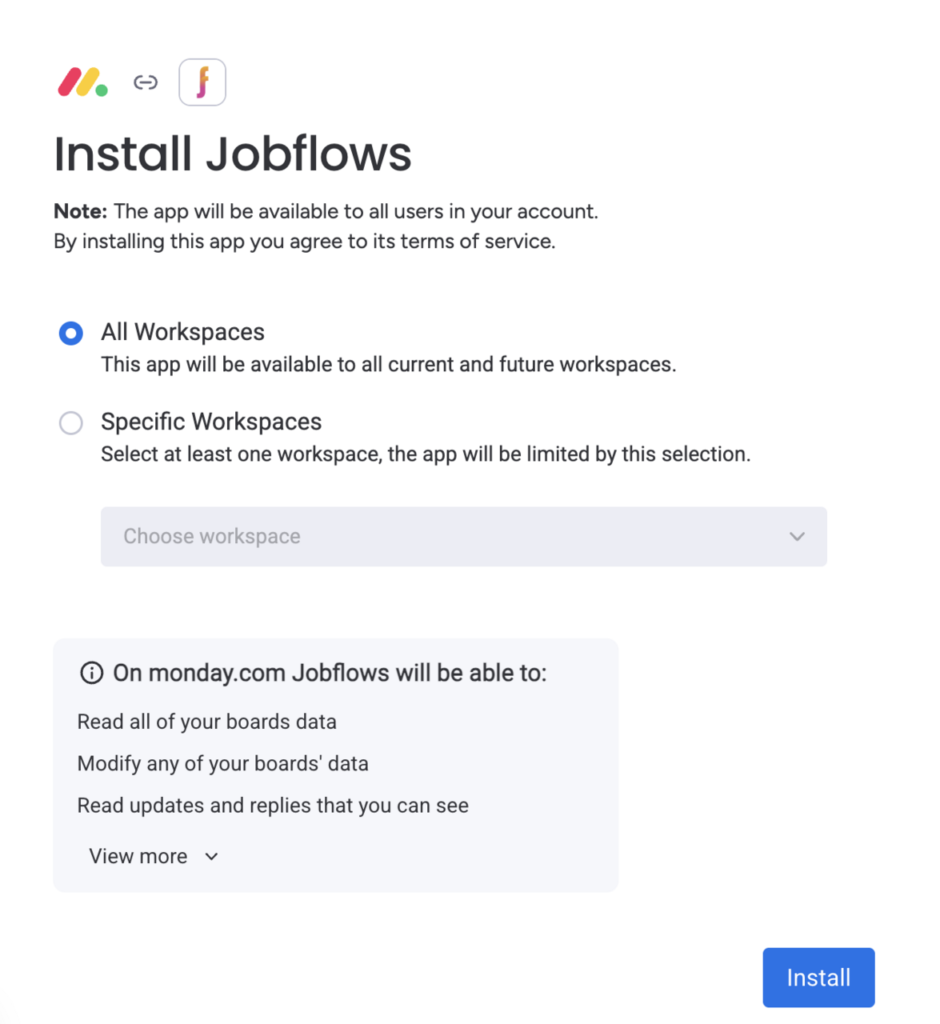
3. Create job postings in JobFlows; choose boards to publish to; applications funnel into monday.com items.
4. In monday.com you set up a board (or use the template) with status columns representing recruitment stages. From there, each candidate is an item you can assign, comment, tag, link to files, etc.
5. Automations notify relevant stakeholders (e.g., “When status = screened, notify hiring manager”).
6. Reporting dashboards show how many applicants at each stage, average time in stage, etc.
Pros and Cons
Pros:
- Leverages the monday.com platform you already use → minimal platform fragmentation.
- Automations + dashboards reduce manual work of tracking candidate metrics.
- Branding and centralised posting means less juggling between job boards.
Cons:
- It’s primarily designed for recruitment/hiring—so if your workflow is more about “site survey → material delivery → installation → confirmation” rather than hiring, some features may feel mis-aligned or overkill.
- Licensing cost (add-on to monday.com) may not justify if you’re using only a subset of features.
- You may not get full out-of-box capabilities for non-HR workflows: you might still need significant customization.
- As with any additional app: learning curve + change management for your team.
Use Cases & Best Practices
Use cases:
- Recruiting: Use JobFlows to manage job ads, applicants, onboarding pipeline, assignments.
- Building a talent-pool: Even if you’re not hiring immediately, keep candidates in a “pipeline” ready for when you scale up operations.
- Adapting the pipeline concept for non-HR use: For example, map “New survey request → Survey scheduled → Design approved → Material delivered → Installation complete → Store confirmation” in a similar board structure to what JobFlows uses for candidates.
Best practices:
- Mirror your existing steps: Define each stage clearly before you build the board (for example: “Applied”, “Interviewed”, “Offer accepted”, “Onboarded”). This is similar to how your installation workflow has defined steps (window survey → vinyl removal → installation).
- Use automations: Set status triggers (e.g., when status moves to “Onboarded”, automatically create an installer schedule item).
- Use dashboards: Monitor key metrics such as time to hire or installation turnaround time. Visual dashboards help you pick up bottlenecks quickly.
- Standardise templates: Have job templates or pipeline templates, just like you have material installation templates. This reduces variation and error.
- Train the team: Since you use monday.com already, ensure your team knows the new pipeline model; the smoother the transition, the less resistance.
Pricing & Availability
You get a 14-day free trial for the app. Then after the 14 days, you can choose to upgrade your plan based on your needs.
Final Thoughts & Recommendation
JobFlows is a very good solution if your business has a meaningful recruitment component and you already rely on monday.com—especially if you’re hiring field staff regularly and need better visibility and automation.