


monday.com AI features are great for your team to embrace automation, but how do you keep track of the credit consumption? Which workflows gobbled them up? Who on your team consumed the biggest chunk?
To help with the tracking, monday has recently rolled out a dedicated AI usage dashboard that pulls back the curtain on every credit your account spends.
This tutorial walks you through the entire dashboard, from locating it to setting individual user limits, so you can take control of your AI budget.
Prefer watching over reading? Check out our full video walkthrough for a visual guide.

How to Access the AI Usage Dashboard
Finding this feature requires admin access, so confirm your role before diving in.
- A. Click your avatar in the top right corner of your workspace.
- B. Select Administration from the dropdown menu.
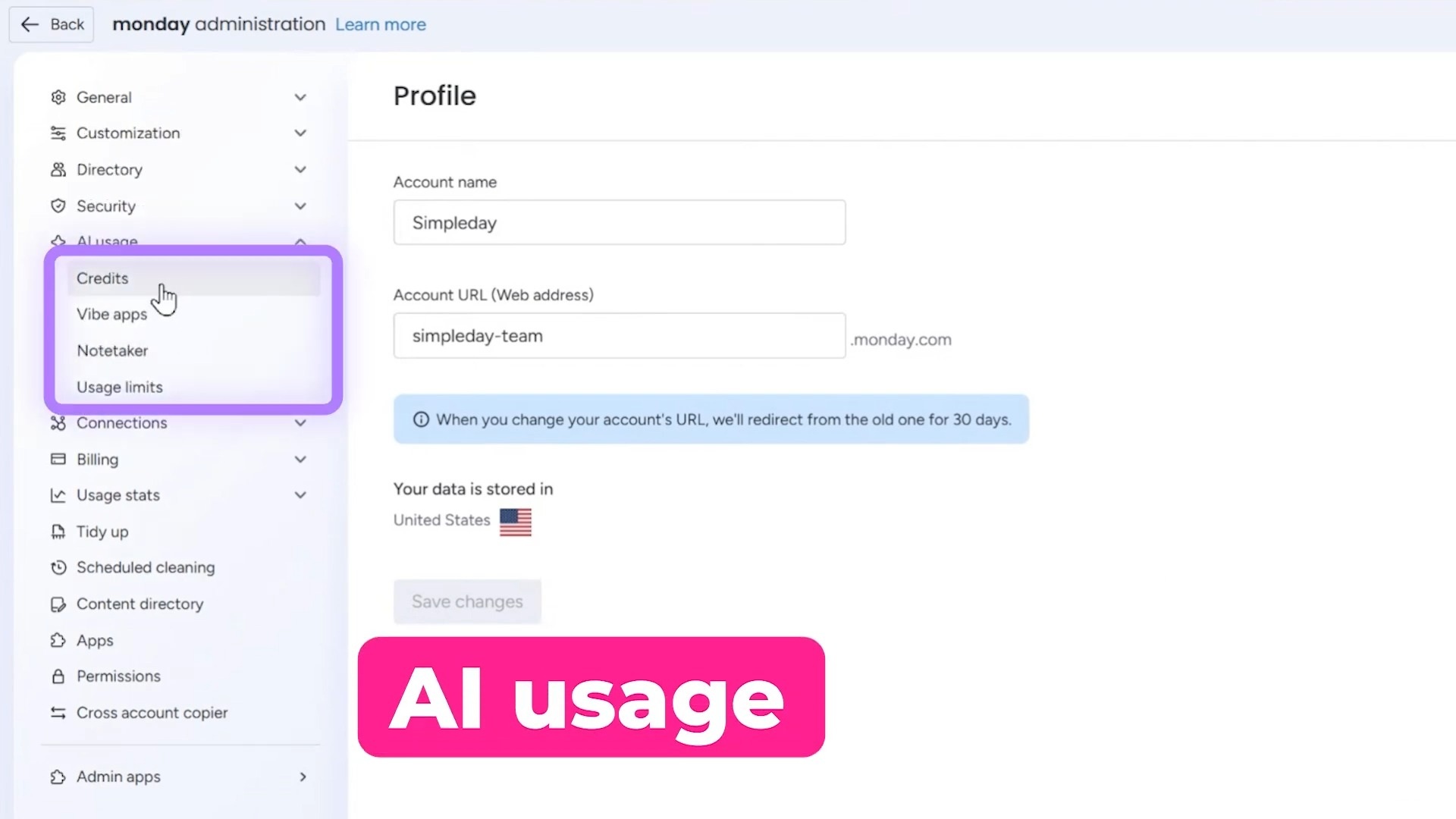
- C. Look for the AI Usage option in the left sidebar and click it.
It’ll open four tabs, which are:
- Credits — Your overall AI credit consumption
- Vibe apps — Performance data for your Vibe applications
- Notetaker — Usage tracking for Notetaker, monday’s meeting transcription tool
- Usage limits — Controls for setting credit caps per user
Let’s explore each one.
1. Understanding Your Credit Consumption
The Credits tab delivers the clearest picture of where your AI budget goes.
Overview Section
At the top, you’ll spot a summary displaying your total credits and how many you’ve already burned through.
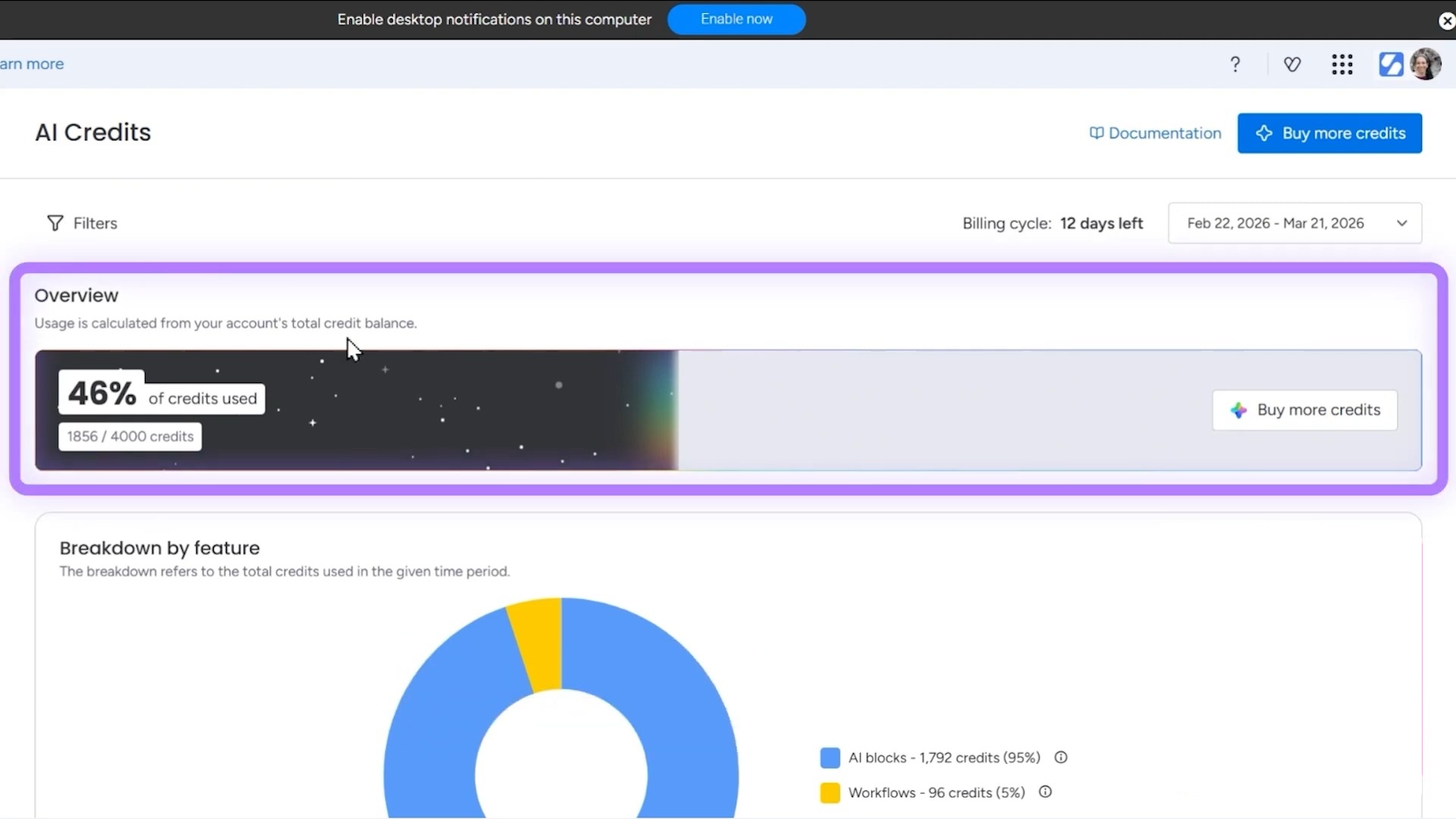
A date filter lets you zoom into specific timeframes, which is perfect for monthly reporting or tracking a spike after launching a new workflow.
Feature Breakdown
Scroll down and the dashboard reveals which features consume the most credits. In the example shown, the split looked like this:
- AI Blocks: 95%
- Workflows: 5%
This breakdown exposes exactly where your credits are spent. If AI Blocks dominate your usage, you might reconsider how many boards rely on them, or budget accordingly.
User-Level Consumption
Keep scrolling and you’ll discover a list showing which team members draw the most credits.
This section helps identify power users and spot unexpected consumption patterns before they drain your allocation.
Top Boards Report
The dashboard also displays the top 25 boards where AI credits get spent. This granular view pinpoints specific projects or workflows that lean heavily on AI features.
As a result, you can get actionable data for optimization decisions.
2. Exploring the Vibe Apps Tab
Switch to the Vibe Apps tab for insights into your no-code applications built within monday.com.
This section displays:
- Time saved through Vibe automation
- Number of active Vibe apps users on your account
- Published Vibe apps and their connected boards
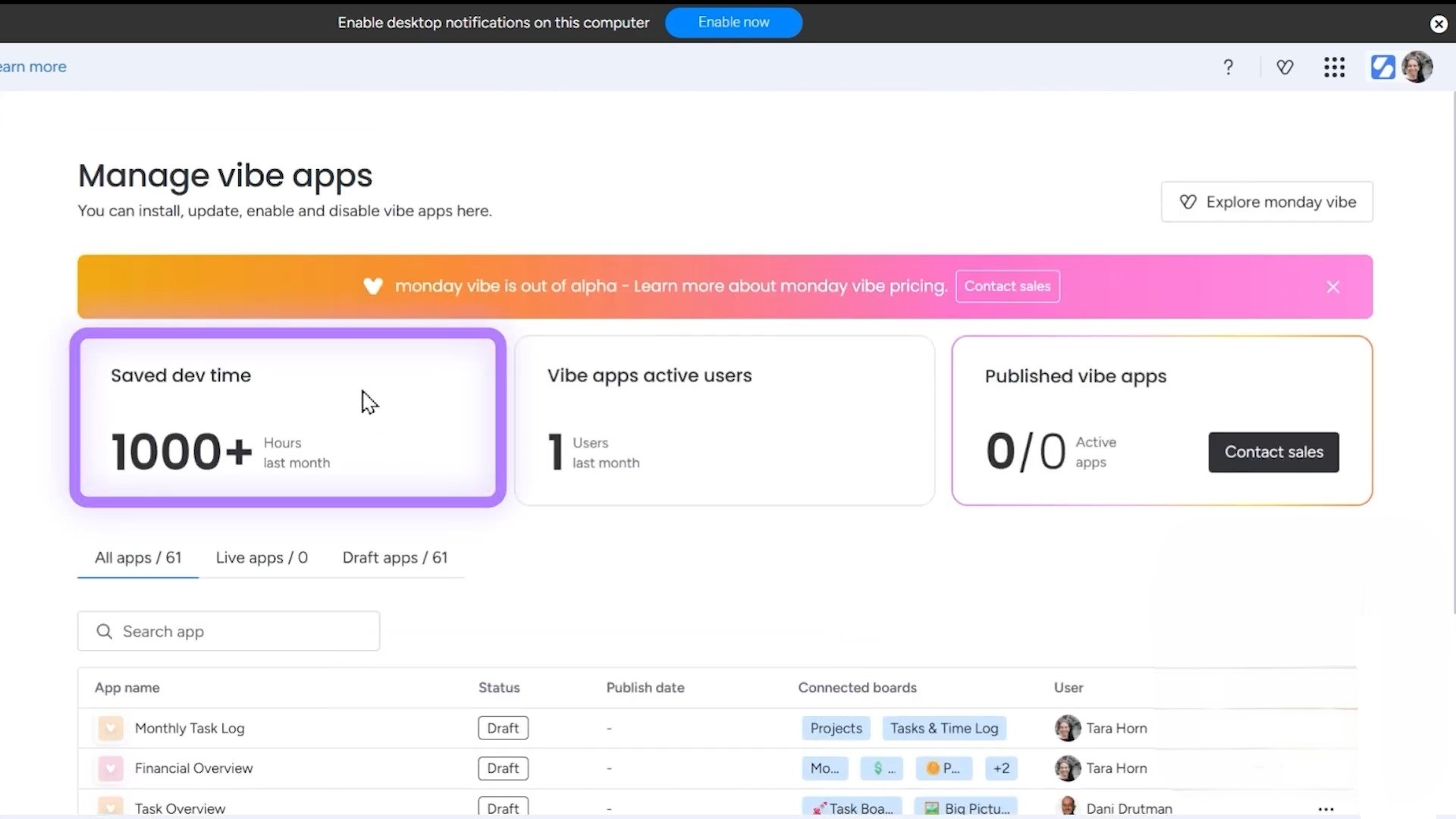
These metrics help you measure the real-world impact of your Vibe investments and identify which applications deliver the most value.
3. Monitoring Notetaker Usage
The Notetaker tab tracks consumption for monday’s AI-powered meeting transcription feature.
Here you’ll see:
- Your total allocated notetaker hours
- Hours already used
- Remaining capacity
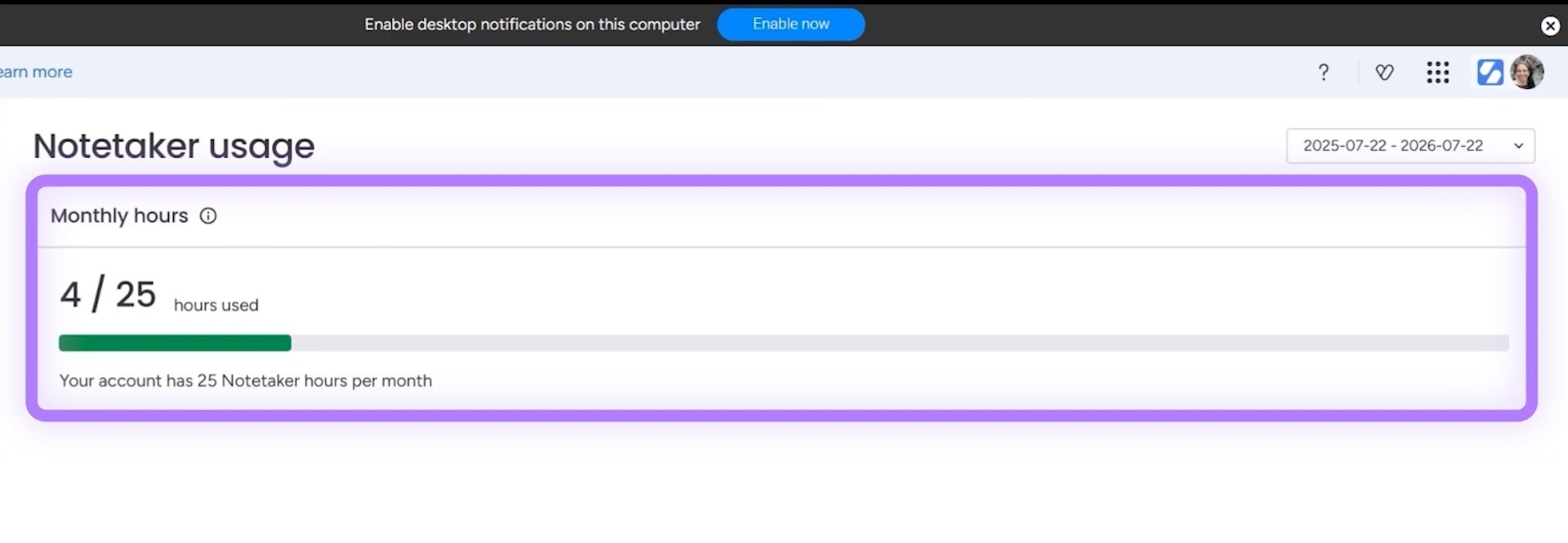
For example, an account with 25 hours might show 4 hours consumed, leaving 21 hours available for upcoming meetings.
This visibility prevents awkward moments where you run out of transcription capacity during an important client call.
4. Setting Usage Limits for Individual Users
The Usage Limits tab hands you the power to control credit distribution across your team. It’s a crucial feature for budget-conscious organizations.
Creating Custom Limit Policies
By default, monday.com applies the same limit to every user in your account. To set individual caps:
- Step 1: Click Add Limit Policy
- Step 2: Select the team member you want to restrict
- Step 3: Enter their specific credit allowance
- Step 4: Save the policy
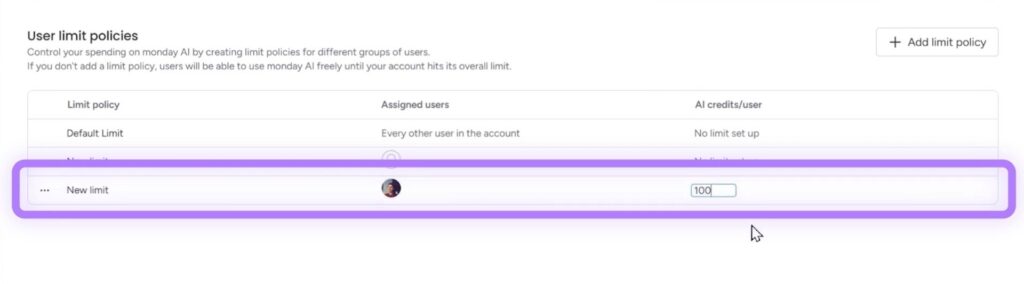
For instance, you could grant a heavy AI user 500 credits while capping occasional users at 100 credits from your total pool of 4,000.
This AI management dashboard is a relatively new addition to monday. The current features solve immediate visibility problems, but expect the platform to expand these controls as organizations demand.
Take Control of Your monday.com Investment
Tracking credits marks just one piece of mastering monday.com. Simpleday helps brands, businesses, and solopreneurs implement monday workflows that maximize value.
Ready to transform how your team works? Connect with Simpleday and build a smarter setup tailored to your goals.