


Monday.com work os
Tips, tricks and more for getting the most out of monday.com

Is monday.com Worth It?

The question most people are actually asking

When someone asks me whether monday.com is worth paying for, I usually respond with a question of my own: what is it costing you not to have a system?

If you are running your business with spreadsheets, email threads, phone calls and Slack or WhatsApp messages, you are already paying. You are paying in deadlines that get missed, work that gets done twice (or doesn’t get done at all), missed follow ups, and the time your team spends chasing documents that aren’t stored in the right place.

Nobody puts a line item on these steps, which is why you don’t feel the cost. But they do exist. And the time and frustration costs are quite high.

So when you’re asking whether monday.com is worth it, the real comparison isn’t monday against zero. It’s monday.com against what your current setup is quietly costing you.

What monday.com costs in 2026

Plan Price per seat, per month (annual) Notes
Free$0Up to 2 seats. No automations or integrations.
Basic$9No automations, integrations, or timeline view.
Standard$12Automations, integrations, timeline, calendar, guest access.
Pro$19Private boards, time tracking, higher automation limits.
EnterpriseCustom quoteAdvanced security and permissions.

Three things that surprise people:

There is a three seat minimum on every paid plan. So the real cost is $27 a month on the Basic Plan and $36 on the Standard Plan, even for a two person team.

Monthly billing costs roughly 18% more than paying annually.

Standard is where most teams should start. Basic looks cheaper but it has no automations and no integrations, which are the two things most people are using monday.com for in the first place.

Note: These prices are for monday.com Work Management. monday CRM and monday Service are priced separately.

Nine Things monday.com Does Well

1Full visibility at all times

I have lost count of the number of times a client has told me their file lives in someone's Drive and nobody else has access. Or that the person who owns the spreadsheet is on holiday. Or on maternity leave.

When used properly, monday.com provides full visibility at all times. When someone is out sick, you can still see exactly where their projects stand. You can access critical files, vendor contact details, and other important information without calling for emergency assistance. This is perhaps the biggest benefit of a proper monday.com setup.

2Convenient dashboards

If you are taking your business seriously, you'll want to know things like: how many leads came in this month against last month, what your conversion rate is, what your revenue looks like, how many tickets you have open, the average time to close tickets, and how many active clients you have (among other essential metrics).

If you use monday.com properly, that data already exists. You just need a dashboard to visualize it. Building monday.com dashboards is not overly complicated as it is in some other platforms. However, it becomes even easier if you ask Sidekick to build a first version for you.

monday.com dashboard

3Easy automations

The most common failure in a spreadsheet system is that a due date changes and nobody updates it, or a deadline passes and nobody notices.

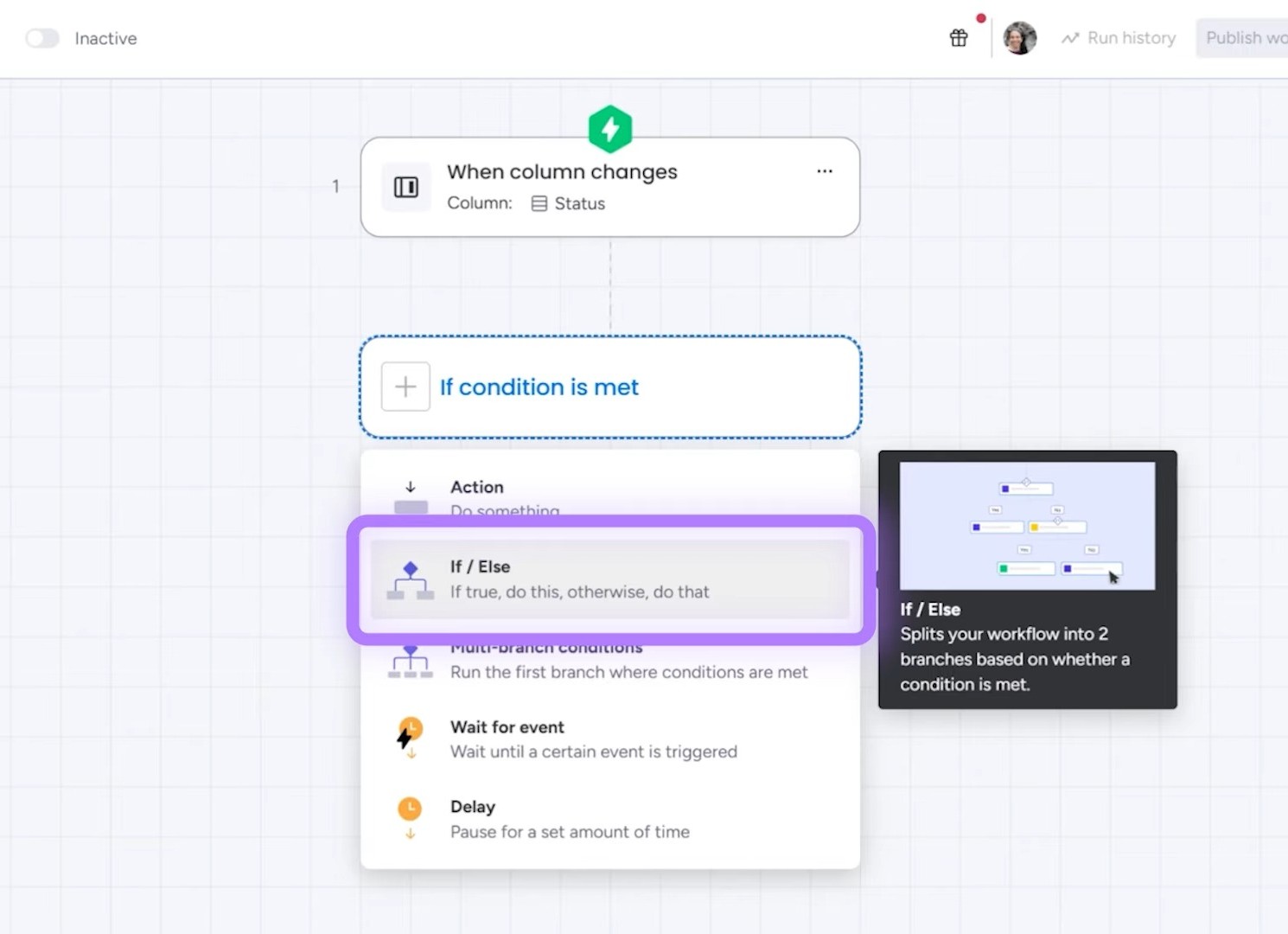
Automations solve these problems before they become problems. Use monday.com automations to notify an owner when a date arrives. Alert a manager or team member when something goes past due. Move an item to the next stage when a status changes. Send an email automatically. If you want to do any of these actions automatically, monday.com is already worth the money.
monday.com workflow automation

4A single source of truth

Multiple spreadsheets, often saved over each other, make it nearly impossible for anyone to know what version is current, which to follow, and where changes took place. Every business that grows on spreadsheets finds itself facing this problem.

One system means one record. monday.com provides this system and makes it easy to keep track of versions, instructions, and all the moving parts you need for a project to get done properly.

5Assigned ownership

In monday.com, every item has at least one person attached. That is a small structural nuance with a significant impact, because work without an owner is the work that accidentally gets neglected until a disaster happens.

6Faster onboarding

Hiring and onboarding have expensive time costs. In monday.com you can create a system that fires when someone joins, so that the onboarding process is smooth from start to finish, with no need to operate from memory. For example, you can set a workflow that once the contract is signed, the new hire receives an onboarding pack with a SuperForm to add their personal details to the company database, a link to the SOP board that houses all the instructions, and an email sequence to check in and make sure that things are moving forward in a timely fashion.

7It scales with you

I have clients who started as solo operators and now run teams of fifty on the same account. A proper monday.com setup works with two people and it works with three hundred.

The caveat is that it only scales if it was built to scale. A structure that works for five people and was never designed with scalability in mind will need rebuilding (or at the very least, retooling) at thirty. Because monday.com is so easy to use, everything is fixable - but it's much cheaper to think about scalability early.

8Templates reduce repetitive work

I worked with a construction company that ran two distinct project types. Once each one existed as a template, and nobody rebuilt a project from scratch again. monday.com templates are one of the most underappreciated features that the platform offers, and one that I cannot recommend highly enough.

9Easy connectivity to other tools

I have client data flowing from monday into QuickBooks. Most people integrate their monday.com setup wit with Gmail, Outlook, Xero, Quickbooks, and dozens of others. There are hundreds of monday.com integrations that can allow you to keep things organized and work faster without context switching.

Add a customer to your CRM in monday.com and it lands in your accounting system without anyone retyping it. Keep invoices organized in one centralized place (and automate follow ups for late payments!). The possibilities are endless.

The Caveat

The benefits listed above are all true. But there is a condition attached, and most monday.com reviews leave it out.

monday.com is only worth it if you invest in building it out.

You cannot open an account and have everything running smoothly in 24 hours. You can use templates and get a simple version running quickly, and for some teams that is really enough. But if you want it to support or improve how your business actually operates, it will take time, careful though processes, and a few rounds of adjustments.

If you are not willing to spend that time, or pay someone to do it for you, do not buy monday.com. You will end up with an expensive place to store the same mess.

If you are willing to invest in the setup, you get a system that grows with the business instead of one you outgrow every few months.

I have been doing this for years and I still audit own boards regularly. Not because the setup was wrong, but because our needs change. That is what a system that works looks like.

monday.com is Worth it For:

  • Teams of three or more where work passes between people
  • Businesses currently running on scattered spreadsheets, email and messaging apps
  • Companies with repeatable processes such as projects, client onboarding, or a sales pipeline
  • Agencies that need to monitor different projects or client work
  • Anyone who needs visibility across several projects at once
  • Teams willing to spend real time on setup, or to bring in help for it

monday.com is NOT Worth it For

  • Solo operators with simple task lists, where the three seat minimum means paying for seats nobody uses
  • Teams that need one specific function and nothing else, where a purpose-built tool will do it better and cheaper
  • Companies that cannot commit to the time needed for a proper build
  • Businesses that already run well on industry-specific software and only need it to do one extra thing

That last one comes up often, and the answer usually isn't replacing what you have. It is connecting monday.com to the system(s) you're already using.

How to Make the Right Decision

  1. 1 Add up what manual coordination costs you now. Hours per week spent chasing status, rebuilding reports, and retyping information between systems, multiplied by what those hours cost.
  2. 2 Compare that to the annual seat cost for your team size.
  3. 3 Be honest about whether anyone will own the setup, and how many hours they have for it.
  4. 4 Start on the free plan and build one real workflow, not a test board. You will learn more from that than from any review, including this one.

If step one is a bigger number than step two and step three has an answer, monday.com is worth it.

Frequently Asked Questions

Usually yes, once you are past three people and work passes between them. Below that, the three seat minimum means you pay for seats nobody uses, and a simpler tool may be a better fit.

Paid plans run $9 per seat for Basic, $12 for Standard, and $19 for Pro on annual billing, with a minimum of three seats. That puts the total price at $27 to $57 a month. Monthly billing costs about 18% more than an annual plan.

The free plan is good mostly for evaluating the interface. It caps at two seats and has no automations, integrations, or timeline view, which are features most teams need.

The basics take a few hours. Building something that fits how your business actually works takes longer, and that is the part people underestimate. You can master monday.com in a few hours with professional monday.com training.

No. Plenty of teams do it themselves. Bringing in help makes sense when the process is complex, when it crosses several departments, or when nobody internally has time to own it.

It depends on what you need. monday.com is the strongest of the three for visual, flexible workflows and for teams that want one system covering projects, CRM, and operations. Asana is tighter for straightforward task management. ClickUp offers more in its free tier.

You restructure, and this is a normal part of using monday.com. Boards that made sense for five people often need rethinking at thirty. Building with that in mind from the start makes it much less painful.

 Sometimes, but not always. It works well as the central record connected to the specialist tools you already run, rather than as a replacement for all of them.